Build stronger studio projects, presentation visuals, and an interior design student portfolio with Dehome.
Explore early concepts, build moodboards, compare design directions, and create visuals that help explain your work in studio reviews, university applications, and internship portfolios.
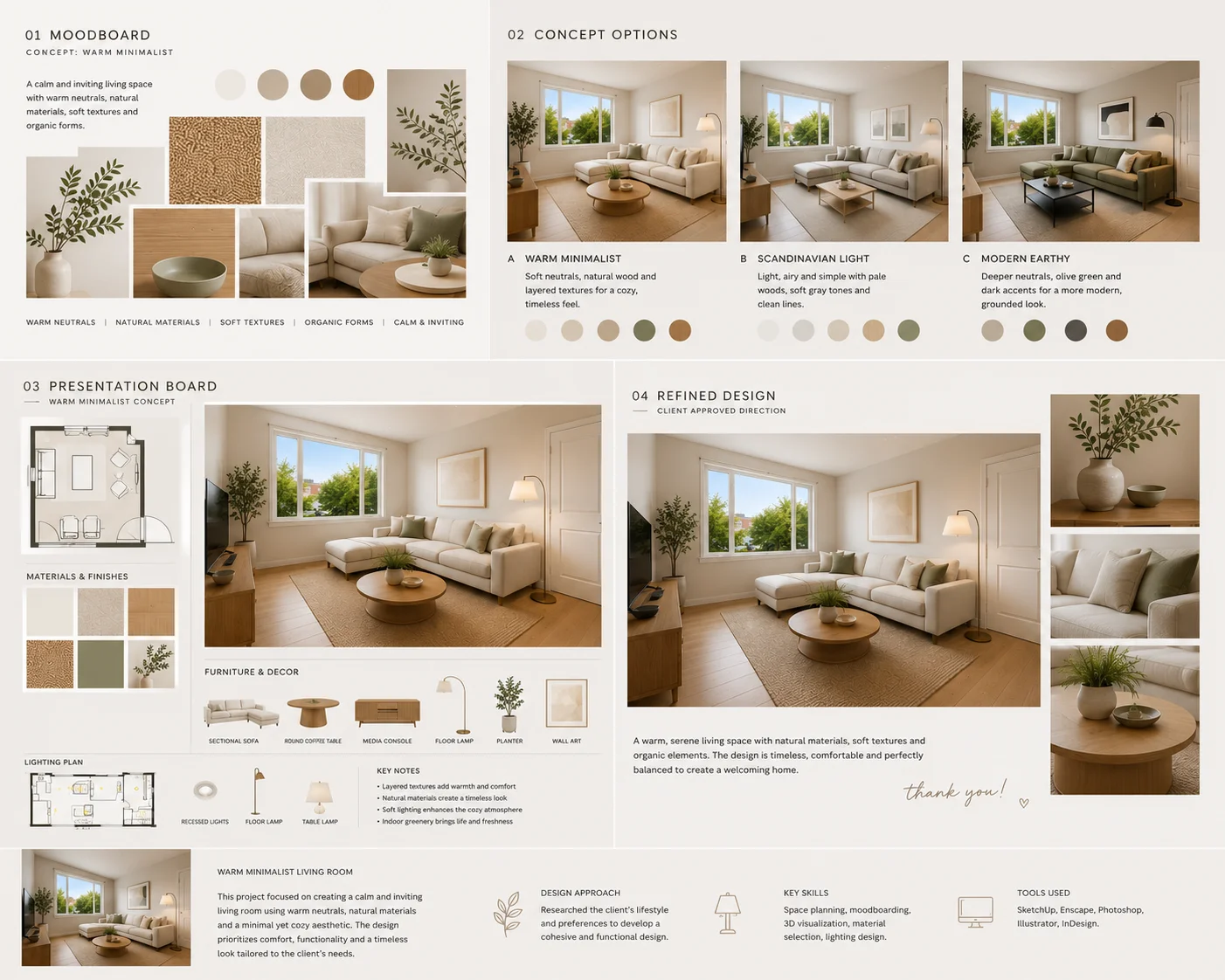
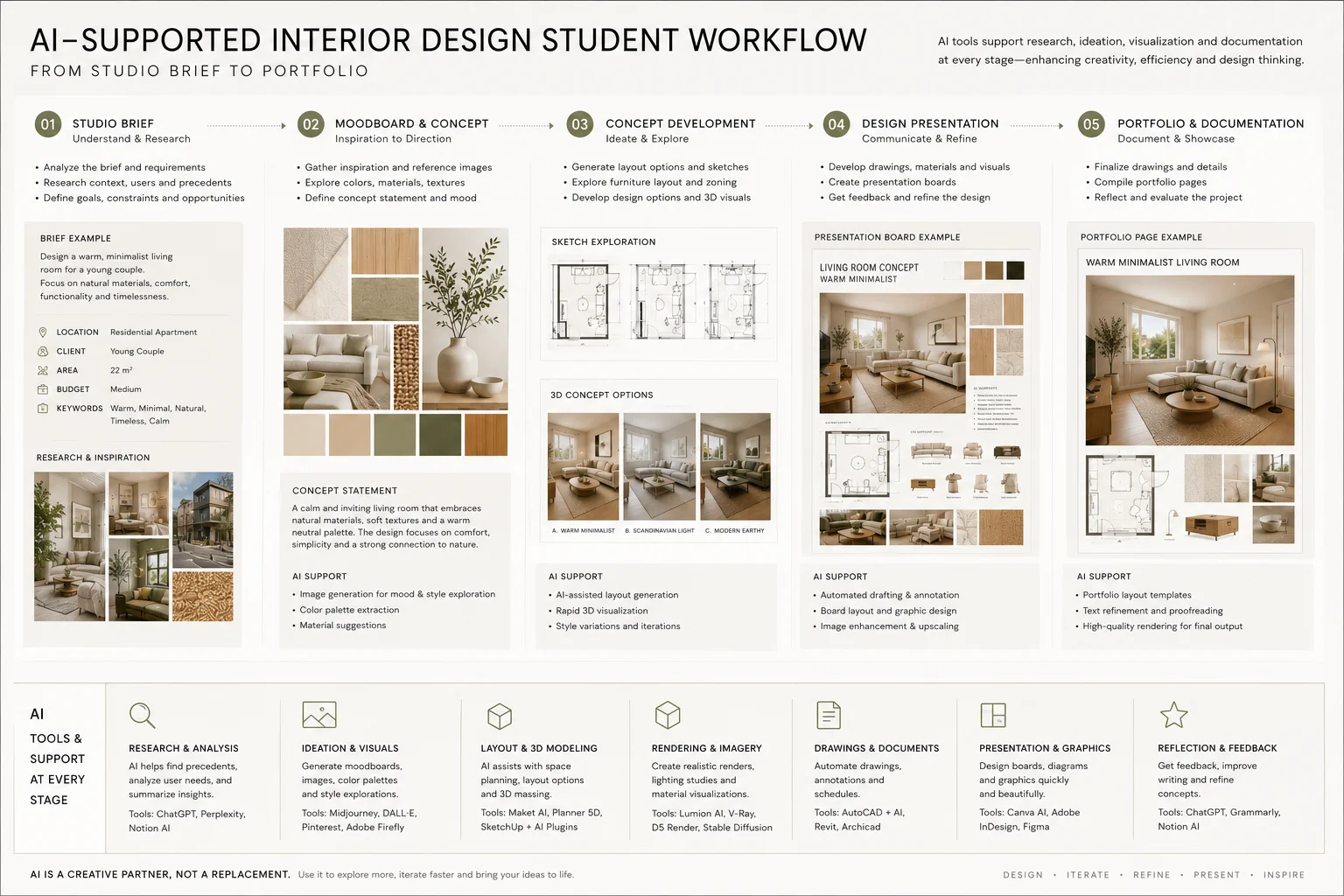
Turn a Studio Brief into a Clear Design Direction
Interior design projects often begin with an open-ended brief.
You may know the site, user, function, or design problem, but still need to decide how the space should look and feel.
Before a studio review, that early idea usually needs to develop into:
- A clear concept
- A visual direction
- Moodboards and material references
- Plans and spatial decisions
- Interior visuals
- A presentation that explains the project
AI can be useful at the exploratory stage, especially when you want to compare several directions before committing to one.
The goal is not to generate more images. It is to find the ideas that deserve further development.
How Interior Design Students Use Dehome
Explore Design Concepts for Studio Projects
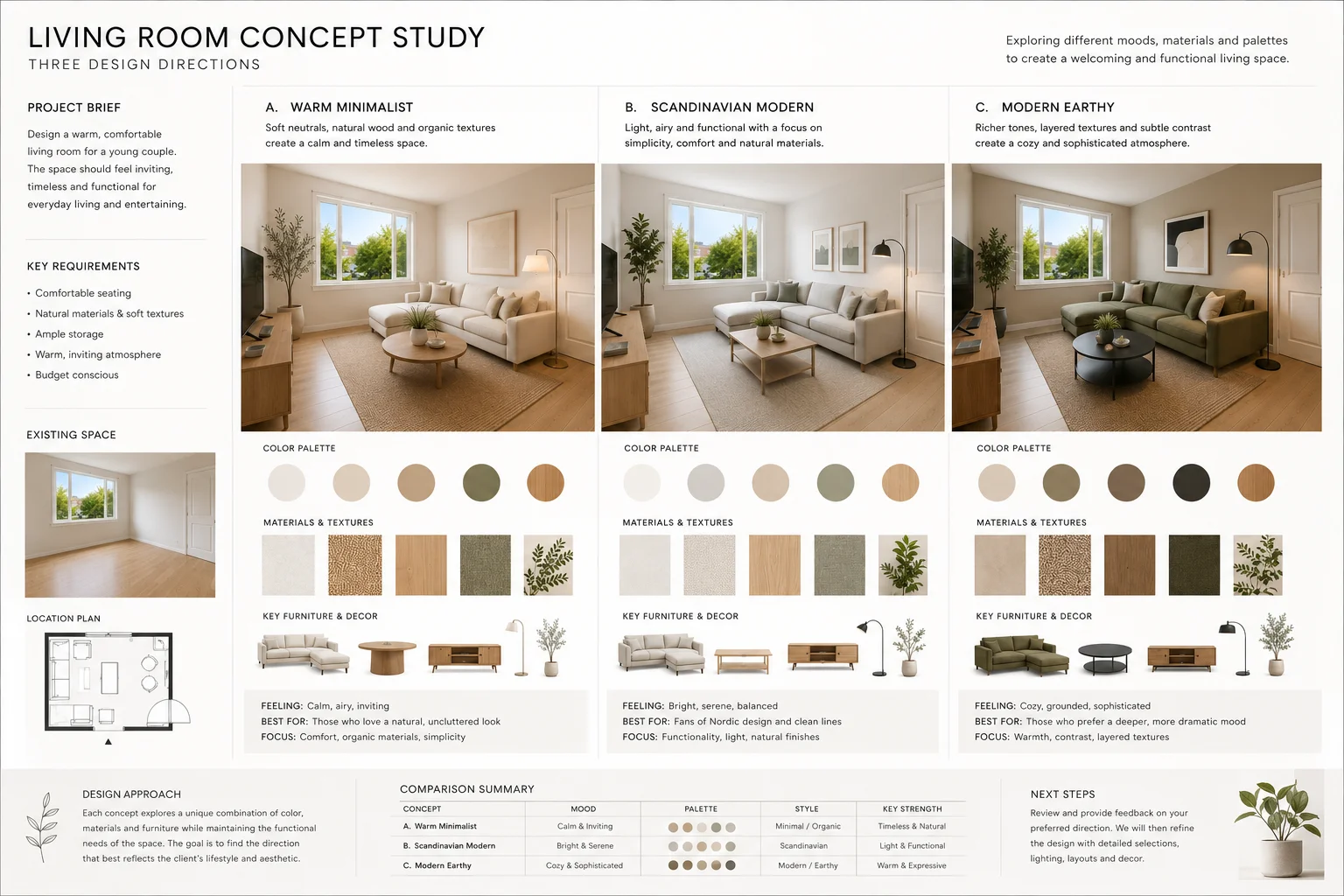
Use AI Interior Design to explore different visual interpretations of the same room, brief, or design direction.
You can compare:
- Material palettes
- Interior styles
- Furniture character
- Color strategies
- Lighting atmospheres
- Different interpretations of the same concept
For example, a residential project might begin with three possible directions: warm minimal, contemporary, and Scandinavian.
Comparing them early can help you decide which direction best supports the brief before spending time developing drawings, models, or detailed visuals.
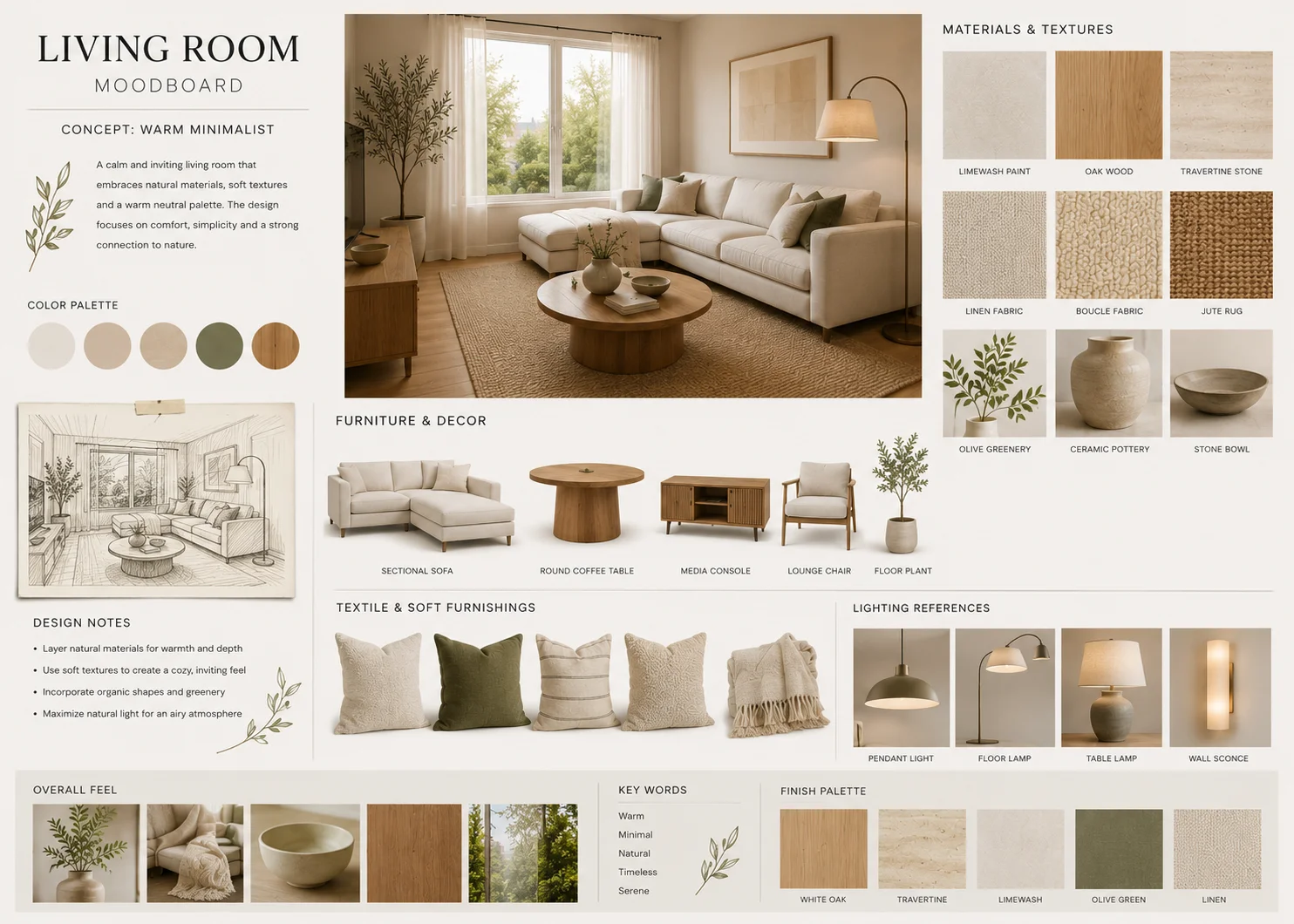
Build Moodboards Before Developing the Full Space
A moodboard helps translate an abstract idea into a visual language.
Use the AI Moodboard Generator to organize:
- Materials
- Colors
- Furniture references
- Textures
- Lighting
- Decorative details
- Overall atmosphere
This can be useful before a tutorial or studio review because your tutor can respond to the intended direction before every element of the project has been developed.
Once the mood is clear, use it as a reference for later room visuals and presentation work.
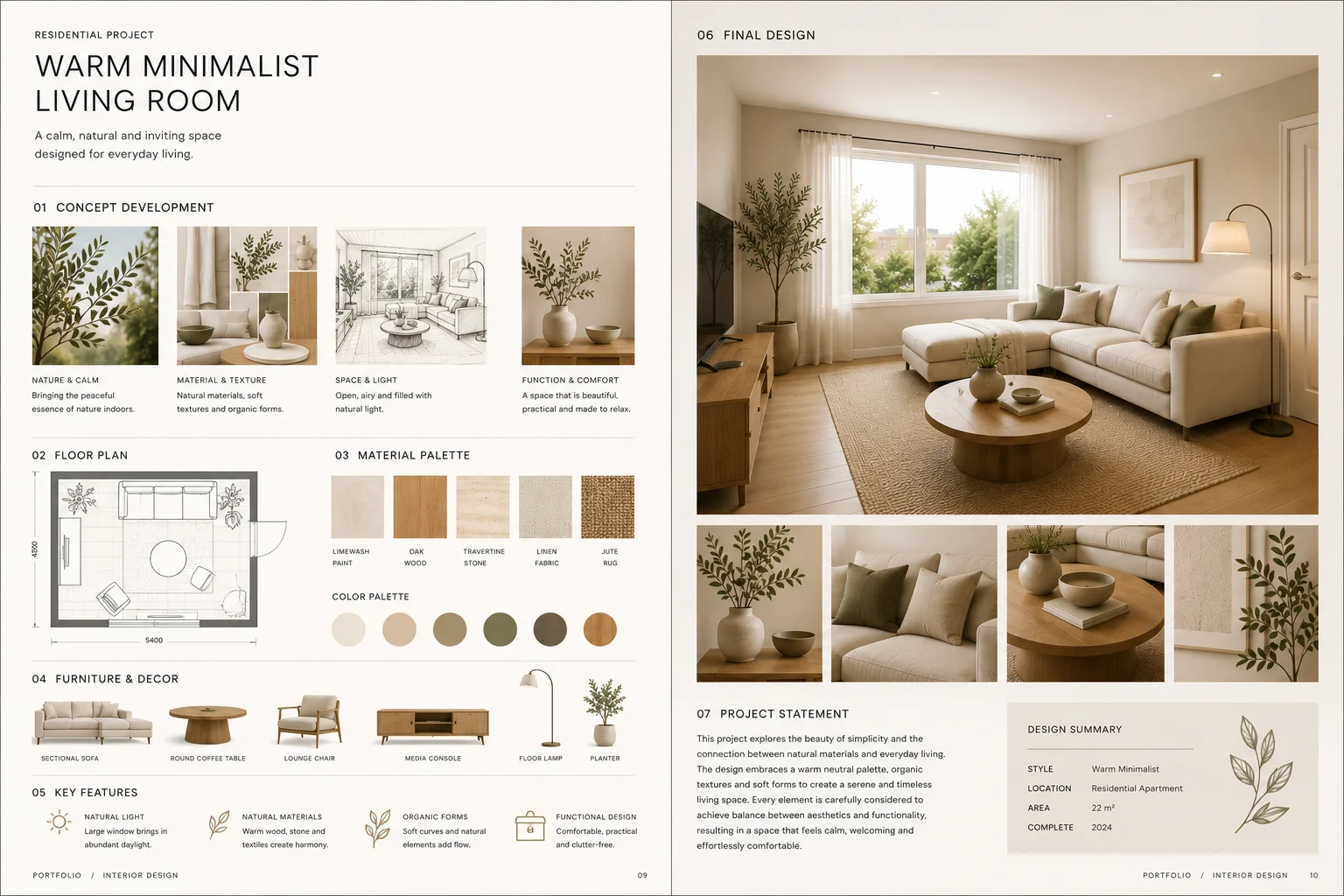
Create Presentation Visuals That Explain the Project
A good design can still be difficult to understand if the presentation does not show how the idea developed.
Your final board or presentation should make it easy to follow:
- The design problem
- The central concept
- Key decisions
- Project development
- The final spatial direction
Dehome can help create supporting interior visuals to use alongside plans, sections, sketches, diagrams, material studies, and other project work.
These visuals can support:
- Studio reviews
- Pin-ups
- Final presentations
- Presentation boards
- Project summaries
- Portfolio pages
Use them to strengthen the narrative of the project rather than replacing the drawings and design reasoning behind it.
Build an Interior Design Student Portfolio from Your Studio Work
A strong portfolio is not simply a collection of polished final images.
It should show how you approach a design problem and how the project moved from an early idea to a resolved proposal.
For each project, aim to create a clear sequence.
Introduce the Project
Give enough context to understand the brief.
This may include:
- Project type
- Site
- User
- Design objective
- Key constraints
Show the Concept
Use sketches, diagrams, moodboards, references, or early studies to explain the central idea.
Show Development
Select work that demonstrates important design decisions.
Depending on the project, this could include:
- Plans
- Sections
- Layout alternatives
- Material studies
- Furniture studies
- Color exploration
- Interior visualizations
Finish with the Strongest Outcomes
Choose final visuals that communicate different aspects of the project.
Three nearly identical renders rarely tell the reader more than one carefully selected image.
What Strong Interior Design Student Portfolio Examples Have in Common
Strong interior design student portfolio examples usually show more than technical polish.
They make the student's thinking easy to follow.
When selecting portfolio ideas for interior design students, prioritize projects that demonstrate different design problems, scales, and skills.
For example:
- Residential interiors
- Small-space planning
- Hospitality or retail concepts
- Adaptive reuse
- Material exploration
- Furniture or spatial studies
- Projects with strong concept development
A portfolio does not need every project you completed at university.
Choose the work that best demonstrates what you can do and why you made particular design decisions.
If a project was completed in a group, clearly identify your own contribution.
Preparing Your Interior Design Portfolio for Applications
The same studio work can be edited differently depending on who will review it.
University Applications
An interior design portfolio for university does not need to make you look like an experienced professional.
It should help admissions teams understand how you observe, experiment, develop ideas, and communicate visually.
Depending on the program, useful material may include:
- Interior projects
- Sketches
- Spatial studies
- Model photography
- Material experiments
- Photography
- Art and visual studies
- Process work
- Personal projects
Always check the requirements of the individual university before preparing your final submission.
Page limits, file sizes, formats, project requirements, and AI policies can vary between programs.
Internship Applications
An interior design portfolio for internship has a different audience.
Studios and employers are often looking for evidence of:
- Design thinking
- Visual communication
- Project development
- Relevant technical skills
- Personal interests
- Your individual contribution
Keep descriptions concise and make the project sequence easy to scan.
A few strong projects with clear development are more useful than many pages of similar work.
Where AI-assisted visuals are included, make it clear how they were used and what parts of the work were created, developed, modeled, drawn, or curated by you.
A Practical Workflow for Interior Design Students
1. Understand the Brief
Before generating visuals, define:
- The user
- The spatial problem
- Functional requirements
- Site constraints
- The central question the project needs to answer
2. Establish the Visual Direction
Create a moodboard that captures the intended materials, colors, furniture character, and atmosphere.
3. Compare Several Concepts
Use AI Interior Design to explore different directions.
Evaluate them against the brief rather than choosing the most visually dramatic option.
4. Develop the Design
Continue with the work required by your course, such as:
- Plans
- Sections
- Spatial planning
- Material decisions
- Furniture
- Diagrams
- Models
- Technical development
5. Prepare the Presentation
Select visuals that explain the most important decisions and support the drawings around them.
6. Save Portfolio-Ready Material
Keep final visuals, diagrams, process work, and short project descriptions organized while the project is still fresh.
This makes it easier to reuse strong studio work later for applications and portfolios.
Dehome Tools for Interior Design Students
AI Interior Design
Explore room concepts and alternative visual directions.
Useful for: studio concepts and design exploration.
AI Moodboard Generator
Build a visual language using materials, colors, furniture, and atmosphere.
Useful for: concept development and presentation preparation.
AI Wall Design
Compare wall finishes, panels, wallpaper, stone, and other treatments.
Useful for: material studies and alternative design options.
AI Flooring Design
Compare flooring materials and tones inside the room context.
Useful for: material development and design refinement.
Change Furniture AI
Explore alternative furniture without rebuilding the entire room visual.
Useful for: furniture studies and revisions.
Change Room Light
Compare different lighting atmospheres in the same interior.
Useful for: atmosphere studies and presentation visuals.
Use AI as Part of the Design Process
AI can help students explore and communicate ideas more quickly.
It is useful for:
- Concept exploration
- Moodboards
- Material comparisons
- Design alternatives
- Visual studies
- Presentation imagery
- Portfolio development
But a student project still needs to demonstrate your own understanding of:
- Space
- Scale
- Function
- Materials
- Circulation
- Design decisions
- Technical requirements
- Visual communication
AI-generated images should support your project, not hide missing design work.
For coursework, assessments, competitions, and applications, follow the relevant rules on AI use and disclose AI-assisted work where required.
Frequently Asked Questions
What should an interior design student portfolio include?
An interior design student portfolio should show both process and outcomes.
Useful content may include briefs, concepts, moodboards, sketches, plans, sections, material studies, visualizations, and final project images.
The exact selection depends on whether the portfolio is for university, an internship, or another application.
How do I choose projects for an interior design student portfolio?
Choose projects that show different skills, design problems, and ways of thinking.
Prioritize work that has a clear concept and enough development material to explain how the final result was reached.
Can AI help create an interior design portfolio?
AI can support concept exploration, moodboards, material studies, and presentation visuals.
The final portfolio should still clearly represent your own design decisions, process, technical work, and contribution.
Can I use AI for an interior design university portfolio?
That depends on the university's current application policy.
Use AI only where permitted, keep your own process visible, and do not present AI-generated material as work created through another method.
Always check the specific requirements before submitting.
How can interior design students use AI for studio projects?
Interior design students can use AI to compare early concepts, develop moodboards, explore materials and furniture, test visual directions, and create supporting presentation imagery.
The strongest results come when AI is used to explore a design idea that the student has already defined rather than generate the project without a clear brief.
Turn Your Studio Work into a Stronger Visual Story
Explore concepts, develop a visual direction, prepare clearer presentations, and organize your strongest project work for future portfolios.