Turn client briefs into visual concepts, explore design directions faster, and give clients something clear to react to before detailed production begins.
Dehome gives interior designers a set of AI tools for concept development, interior design rendering, moodboards, material exploration, and client presentations — all from a browser-based workflow.
Turn Client Briefs into Clear Visual Directions
A client rarely begins with a complete design direction.
They may say they want a room to feel warmer, more modern, less cluttered, or more luxurious — but translating those preferences into something both sides understand takes time.
Interior designers often need to explore several questions early in a project:
- Which style best reflects the brief?
- Which color and material direction feels right?
- How much should the existing room change?
- Which ideas should be presented to the client?
- What needs to be revised after feedback?
AI can make this exploratory stage faster.
Instead of developing one direction in detail before learning whether the client likes it, you can use Dehome to visualize alternatives earlier, compare them side by side, and move forward with a clearer direction.
Generate an Interior Design Concept
How Interior Designers Use AI
Generate Interior Design Concepts Faster
The early concept stage is about exploring possibilities.
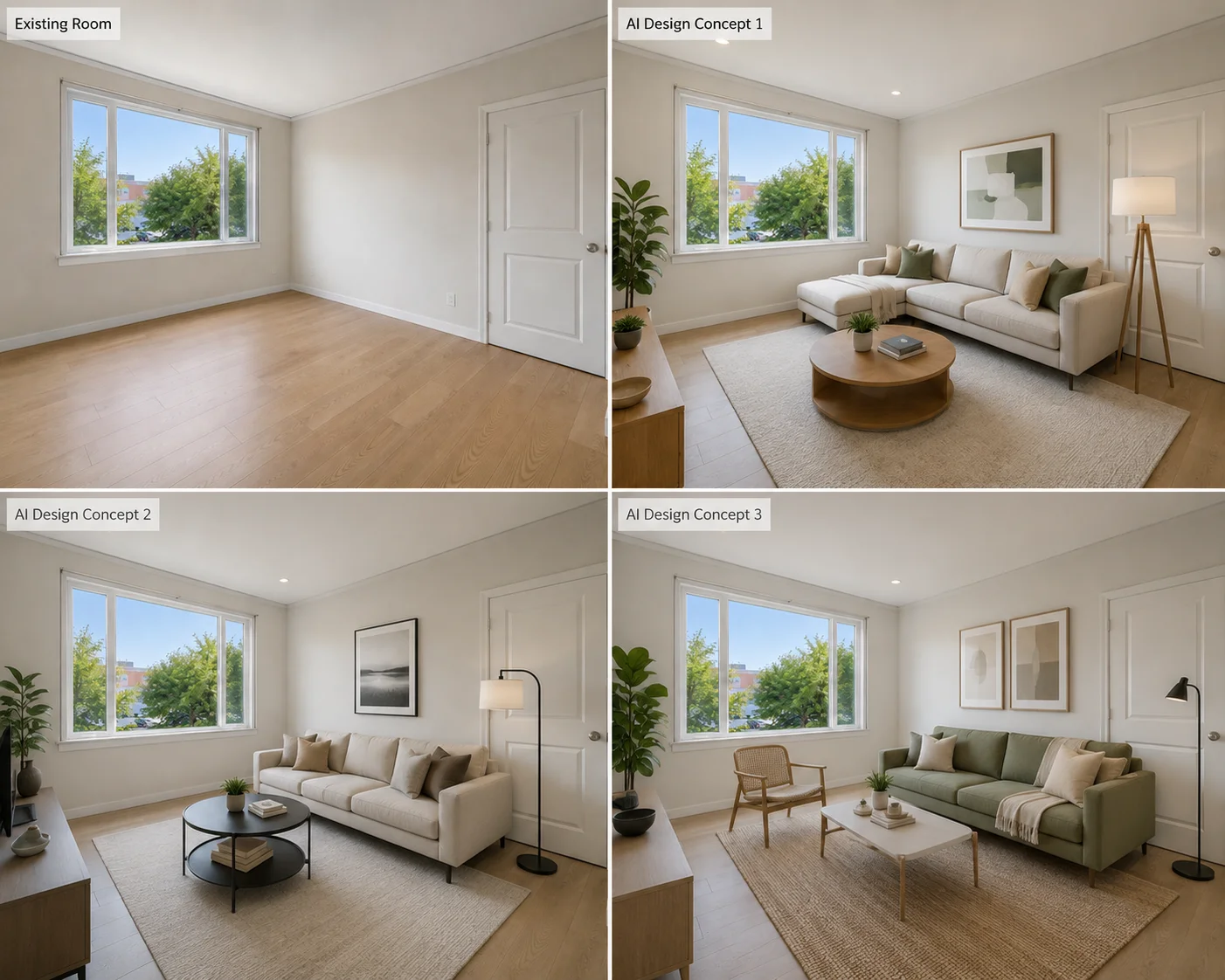
Use AI Interior Design to upload an existing room photo and generate different interior design concepts from the same space.
You can explore changes in:
- Interior style
- Color palette
- Furniture character
- Materials
- Overall atmosphere
- Decorative direction
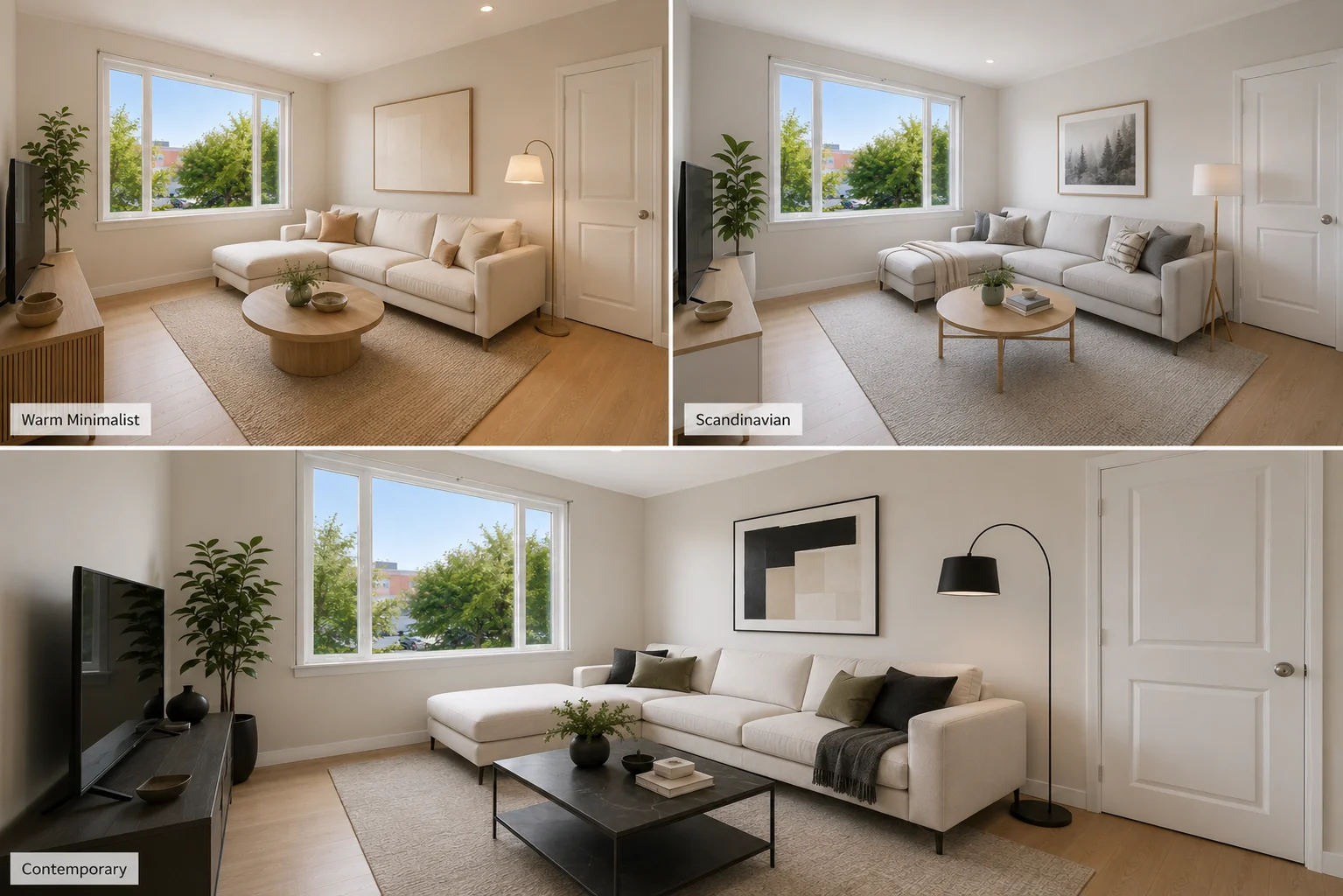
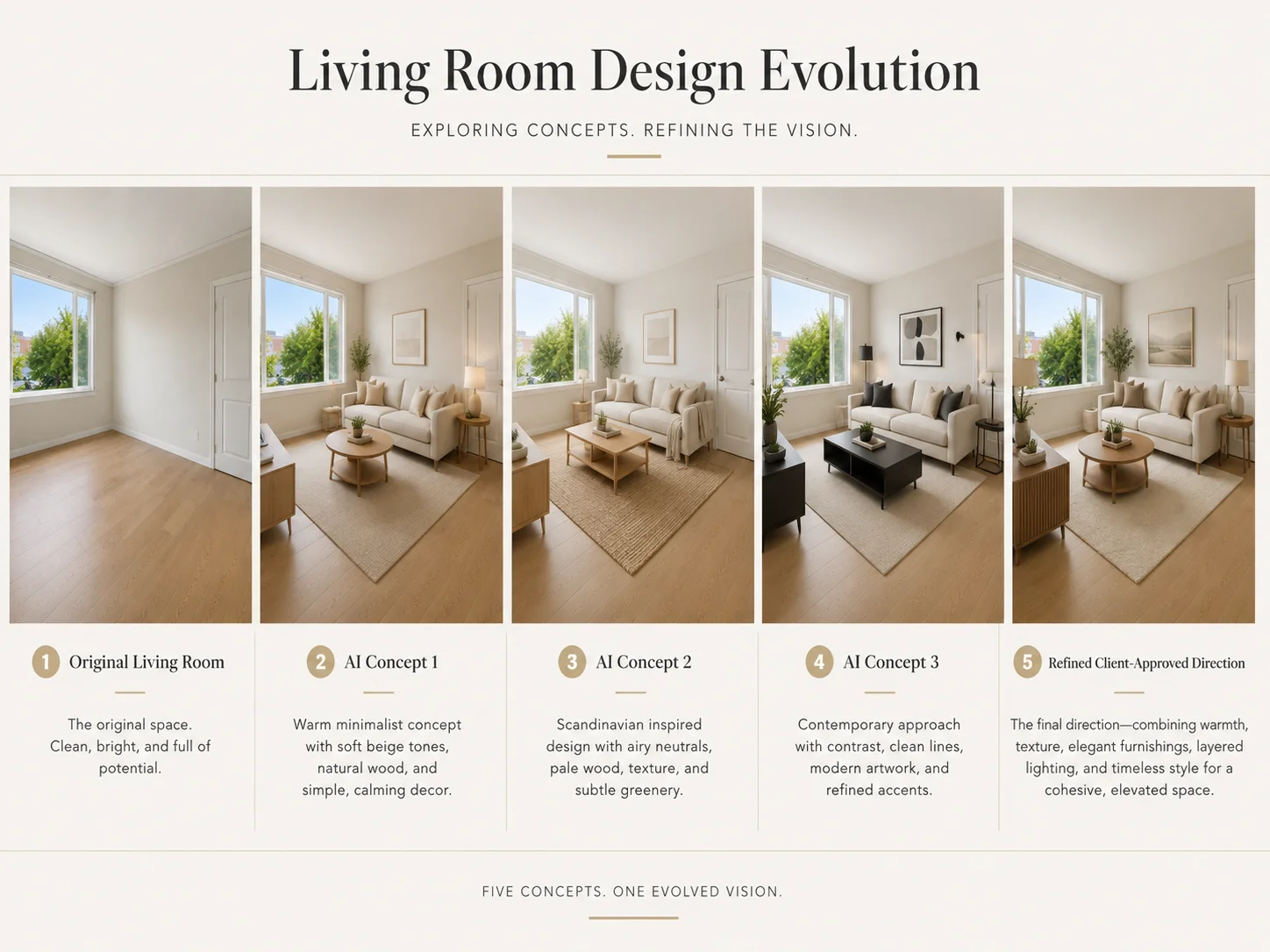
For example, one living room can be visualized as warm minimal, Scandinavian, contemporary, or modern luxury while keeping the original room as a reference.
This is particularly useful when the brief is still developing and you want to compare several ideas before investing time in detailed drawings or modeling.
Best for:
- Early concept exploration
- Alternative design directions
- Client preference discovery
- Internal design reviews
Generate Interior Design Concepts
Create Interior Design Renderings for Client Presentations
Plans and material references are important, but clients do not always find them easy to interpret.
Interior design renderings can help communicate how different decisions come together in the space.
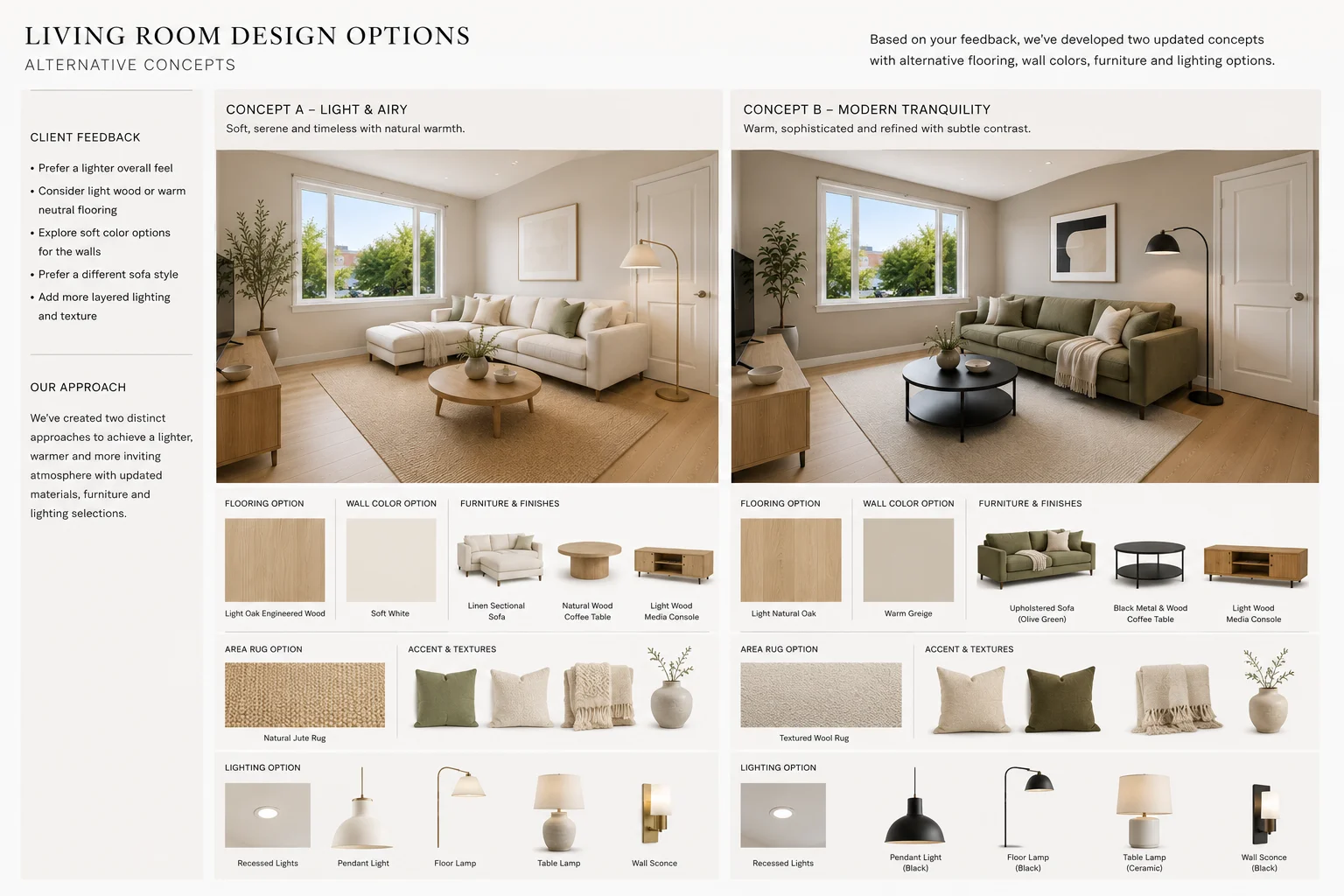
With Dehome, you can create visual concepts that show:
- Furniture direction
- Materials
- Color relationships
- Lighting atmosphere
- Style
- Overall room character
These visuals can support an early interior design presentation before you move into detailed production.
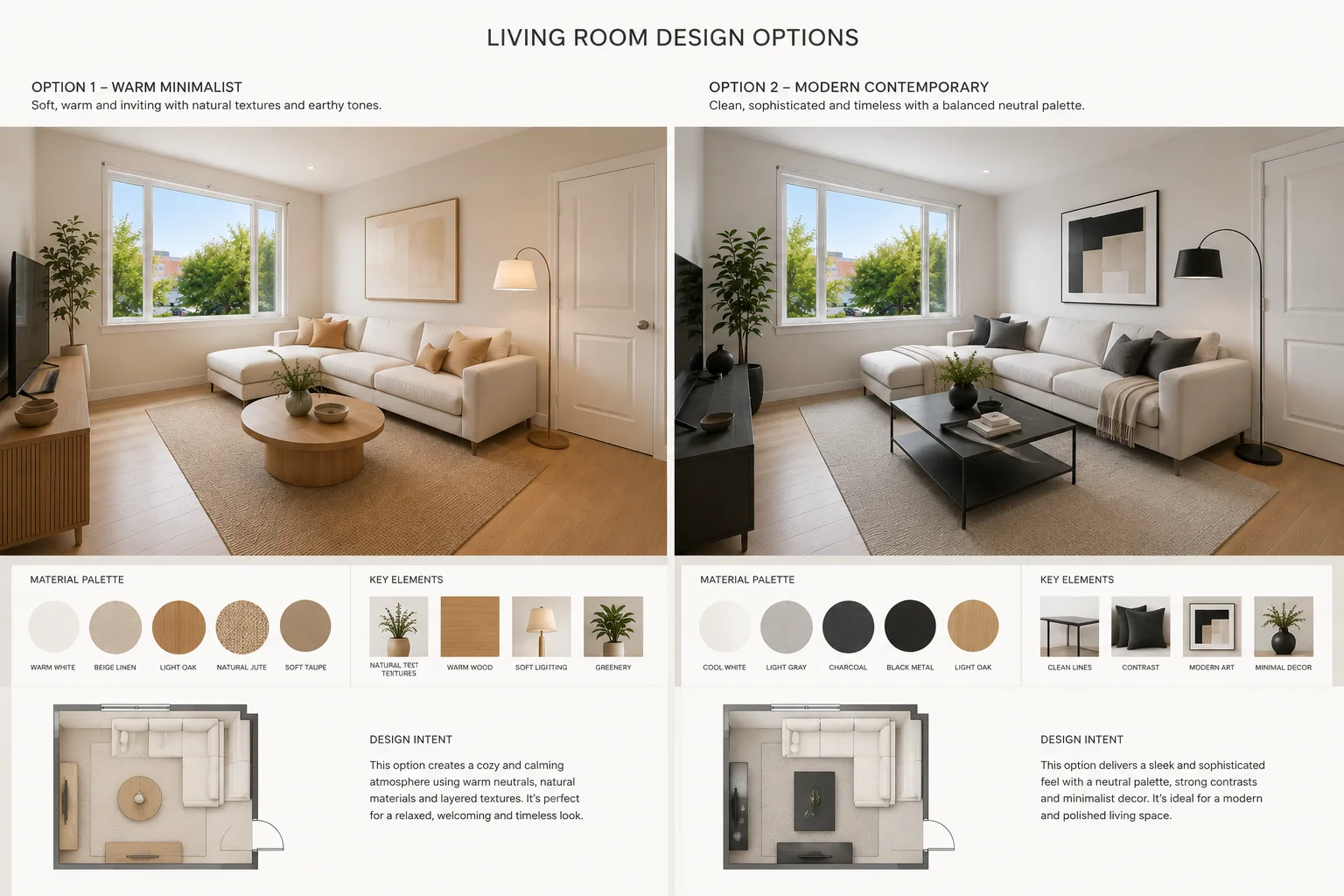
Instead of asking a client to imagine the difference between two directions, you can show both and ask a much more useful question:
Which one feels closer to what you want?
AI rendering for interior designers is especially useful when several options need to be reviewed quickly.
The goal is not to replace final professional renderings. It is to make early communication more visual and more efficient.
Build Moodboards and Interior Design Presentation Boards
Before designing the entire room, it can help to agree on the visual language of the project.
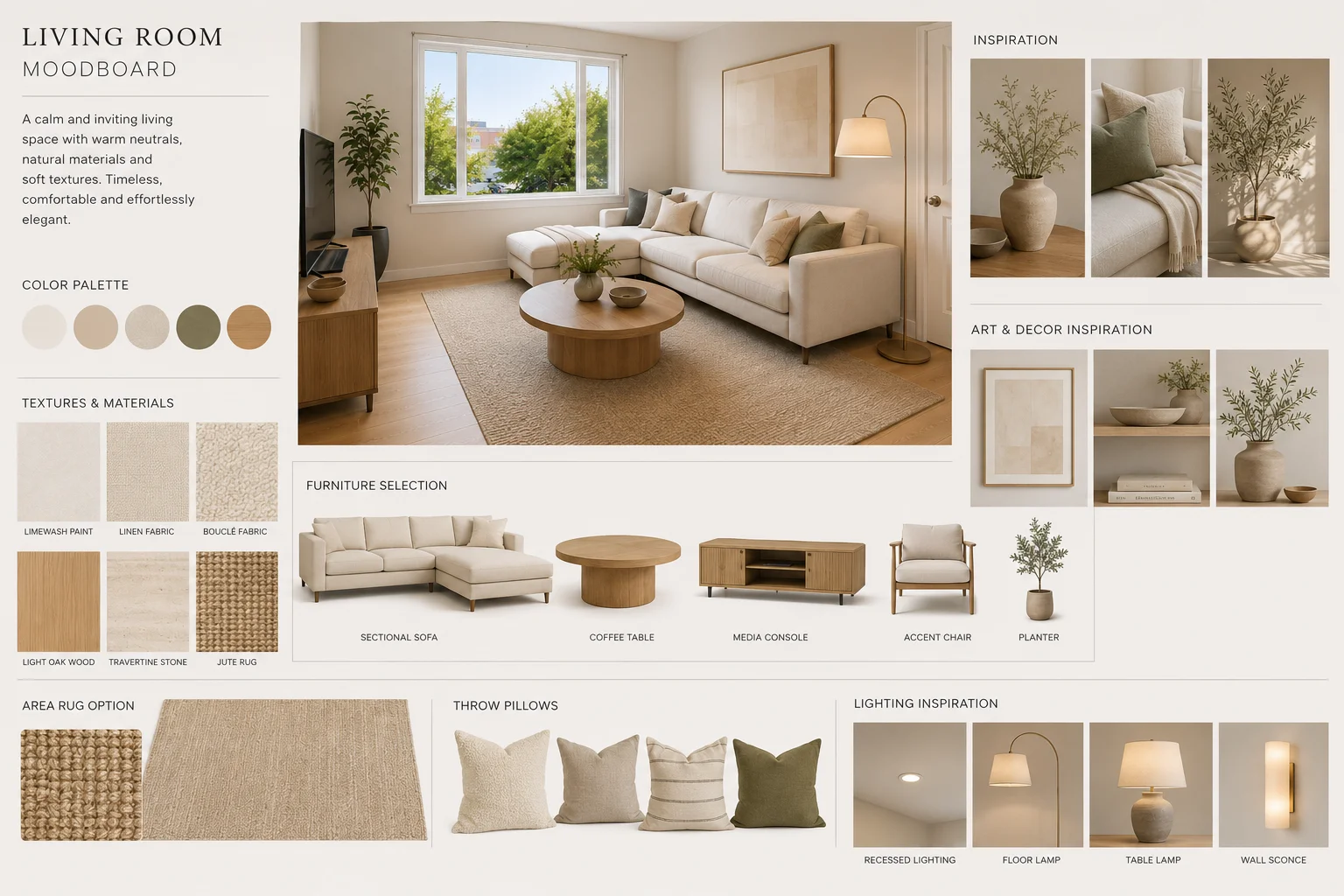
Use the AI Moodboard Generator to bring together references for:
- Colors
- Materials
- Furniture
- Textures
- Lighting
- Decorative details
- Overall mood
An interior design moodboard gives the client something concrete to discuss before the design becomes more detailed.
Once the direction is approved, the same visual language can guide the next stage of concept generation.
Moodboard content can also become part of an interior design presentation board, helping connect the initial brief with the proposed room concept.
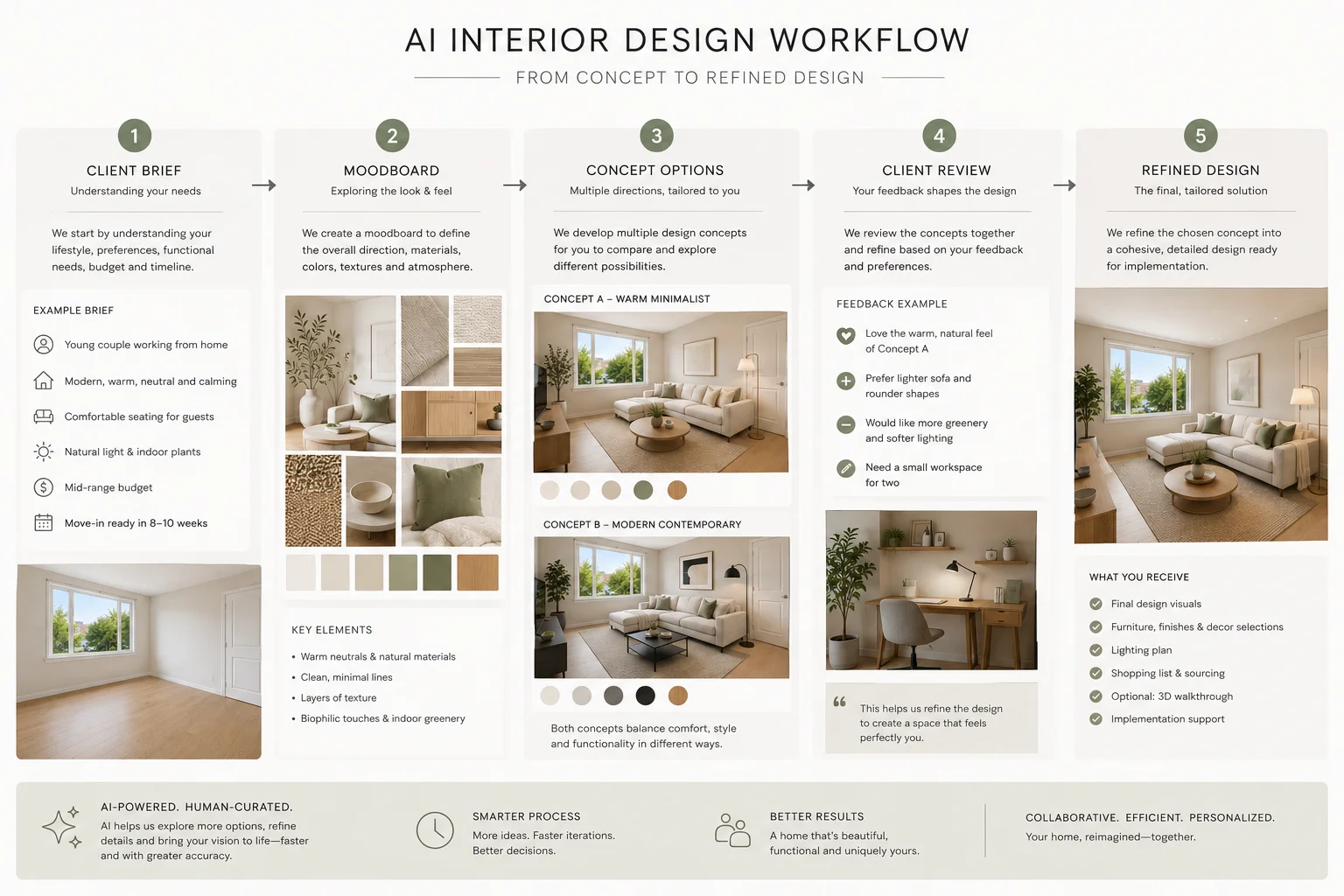
A simple sequence might be:
Client brief → Moodboard → Room concepts → Client feedback → Refined direction
Create an Interior Design Moodboard
Refine Designs After Client Feedback
Client feedback rarely means starting the whole project again.
More often, the overall direction works but one or two elements need adjustment.
A client might say:
- “I like the room, but the floor feels too dark.”
- “Can we see a warmer wall color?”
- “I want a lighter sofa.”
- “The evening lighting feels better.”
- “Can we make the feature wall less dramatic?”
This is where specialized AI tools become useful.
Change Walls and Finishes
Use AI Wall Design to explore wallpaper, panels, stone, wood, or decorative wall treatments.
Compare Flooring
Use AI Flooring Design to compare light oak, dark wood, tile, stone, and other flooring directions.
Test Paint Colors
Use the Paint Color Visualizer when the question is specifically about wall color.
Explore Furniture Alternatives
Use Change Furniture AI to test different sofas, tables, chairs, or other major furniture pieces.
Adjust Lighting Atmosphere
Use Change Room Light to compare daylight, warm evening light, and different room moods.
Instead of regenerating the entire design after each round of feedback, you can focus on the specific element the client wants to reconsider.
How to Use AI for Interior Design
AI works best when it supports a clear design process rather than replacing one.
1. Start with the Brief
Identify the main project requirements:
- Room type
- Functional needs
- Preferred styles
- Colors the client likes or dislikes
- Existing elements to preserve
- Budget direction
- Reference images
- Key constraints
A clearer brief gives you a better starting point for visual exploration.
2. Define the Mood
Create a moodboard or visual reference that captures the intended atmosphere.
Use the AI Moodboard Generator to explore materials, colors, furniture character, and style before generating complete rooms.
3. Generate Multiple Concepts
Upload a clear image of the existing space to AI Interior Design.
Instead of developing only one option, generate several interior design concepts and compare them.
Look at:
- Overall direction
- Material relationships
- Furniture
- Color
- Atmosphere
- How well each option responds to the brief
4. Review with the Client
Use the strongest options in your interior design presentation.
At this stage, the objective is not final approval of every detail.
It is to identify the direction worth developing.
5. Refine the Selected Direction
Once the client chooses a preferred concept, adjust specific elements with Dehome’s wall, flooring, paint, furniture, and lighting tools.
Then continue the approved direction through your normal professional design process.
Start Your AI Interior Design Workflow
Recommended AI Tools for Interior Designers
AI Interior Design
Generate complete room concepts from an existing interior photo.
Best for: concept exploration and early design directions.
AI Moodboard Generator
Create a visual language for the project using materials, colors, furniture, and references.
Best for: briefs, moodboards, and presentation boards.
AI Wall Design
Explore different wall finishes without changing the full room concept.
Best for: feature walls, panels, wallpaper, and finishes.
AI Flooring Design
Compare flooring materials in the context of the complete room.
Best for: material selection and client revisions.
Change Furniture AI
Test alternative furniture without rebuilding the entire concept.
Best for: furniture selection and revisions.
Change Room Light
Explore how the same room feels under different lighting conditions.
Best for: atmosphere and presentation visuals.
Example: From Client Brief to Refined Concept
The Project
A residential client wants to redesign a living room.
They know they want a warmer, more contemporary space but are unsure whether they prefer Scandinavian simplicity or a richer modern look.
The existing room structure will remain unchanged.
Step 1: Define the Direction
Create a moodboard around:
- Warm neutrals
- Natural wood
- Soft textiles
- Contemporary furniture
- Layered lighting
Step 2: Generate Three Interior Design Concepts
Use the existing room photo to explore:
- Warm modern
- Scandinavian
- Warm minimalist
Step 3: Present the Options
The client prefers the warm-modern concept but wants lighter flooring and a less formal sofa.
Step 4: Refine the Selected Concept
Use AI Flooring Design to compare two lighter oak finishes.
Use Change Furniture AI to test a softer, more casual sofa.
Use the Paint Color Visualizer to compare warm white and soft beige walls.
Step 5: Move Forward with a Clearer Direction
The final concept now reflects the client’s feedback and can become the visual reference for the next stage of professional design development.
Where AI Fits in a Professional Interior Design Workflow
Dehome is most useful during stages where designers need to explore or communicate visual ideas quickly.
Use Dehome for
- Interior design concepts
- Moodboards
- Interior design renderings
- Client presentations
- Presentation board visuals
- Design alternatives
- Material comparison
- Furniture exploration
- Lighting exploration
- Client revisions
- Portfolio and marketing visuals
Continue with Professional Workflows for
- Verified measurements
- Technical drawings
- CAD documentation
- BIM
- Construction documents
- Material specifications
- Technical detailing
- Building code review
- Structural decisions
- Construction coordination
AI-generated images should be treated as visual design aids rather than technical documentation.
The designer still decides what works, what is appropriate, what is feasible, and how the final project should be developed.
Frequently Asked Questions
How can interior designers use AI?
Interior designers can use AI during concept development, moodboarding, rendering, client presentations, material exploration, and revisions.
It is particularly useful when you need to visualize and compare ideas before developing them in detail.
How do you use AI for interior design?
Start with a clear client brief, define a visual direction, generate several concepts from the existing space, review the options, and refine the selected direction based on feedback.
AI works best as part of the design workflow rather than as a replacement for the full process.
Which AI tools are useful for interior designers?
Useful AI tools include interior concept generators, moodboard generators, paint and material visualizers, furniture replacement tools, and lighting tools.
The right tool depends on the decision you are trying to make.
Can AI create interior design renderings?
Yes. AI can create interior design renderings for concept exploration and early client communication.
For final production, exact dimensions, specifications, technical details, and construction requirements should still be verified separately.
Can AI help create an interior design presentation board?
Yes. AI can help generate content for an interior design presentation board, including moodboards, room concepts, material directions, and design alternatives.
The designer should still curate and organize the final presentation.
Can AI replace interior designers?
No.
AI can generate visual options quickly, but it does not replace professional judgment, client communication, technical knowledge, spatial reasoning, material selection, or responsibility for the final design.
Turn Your Next Client Brief into a Visual Concept
Explore multiple design directions, present clearer options, and refine the strongest concept before moving into detailed production.