A strong interior design portfolio should show more than finished rooms.
It should help someone understand how you think: what the project started with, how the concept developed, which decisions shaped the space, and what the final design became.
That does not mean filling every page with process work. It means choosing the right mix of concepts, moodboards, plans, material studies, development work, and final visuals so each project tells a complete story.
In this guide, we will look at how to create an interior design portfolio, how to structure individual projects, what work is worth including, and how tools such as Dehome can help you develop stronger visual material before the portfolio is assembled.
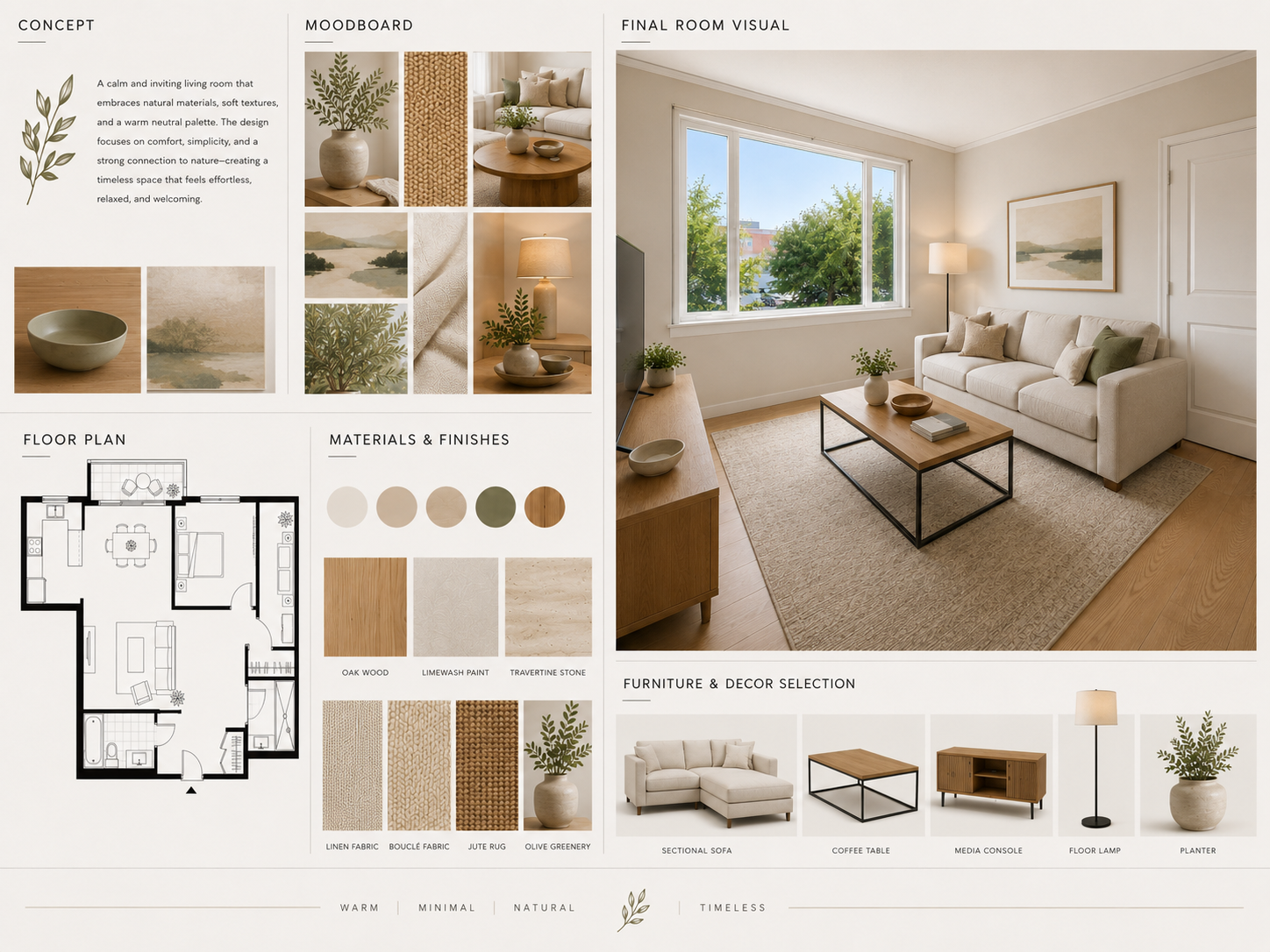
What Should an Interior Design Portfolio Include?
There is no single portfolio format that works for every designer.
A student applying to university needs something different from a designer applying to a studio. A freelancer showing residential work may structure projects differently from someone focused on hospitality or retail.
But most strong portfolios include a combination of:
- A short project brief
- Concept development
- Moodboards or visual references
- Plans, sections, or spatial studies
- Material and furniture decisions
- Design development
- Final interior visuals
- A short explanation of your role and contribution
The important part is not the number of pages.
It is whether the work makes your design decisions understandable.
A portfolio full of polished renders may look attractive but still feel incomplete if the viewer cannot see how the project developed.
Choose Projects That Show Different Strengths
Before worrying about layout, decide which projects deserve to be included.
Start with your strongest work, but avoid choosing five projects that all demonstrate the same skill.
A useful selection might include:
- A residential interior with strong spatial planning
- A project with clear material development
- A small-space design with difficult constraints
- A hospitality or retail concept
- A project with particularly strong visual storytelling
You do not need every project you have completed.
Three well-developed projects are often easier to understand than eight projects shown too briefly.
Ask what each project adds to the portfolio.
If two projects communicate the same thing, keep the stronger one.
Students can also see the Interior Design Students use case for a workflow focused on studio projects, presentations, and portfolio preparation.
Build Each Project Around a Clear Story
When learning how to build an interior design portfolio, one of the most useful shifts is to stop treating every page as an independent graphic composition.
Think in projects instead.
Each project should answer a simple sequence of questions.
What Was the Brief?
Give enough context to understand the problem.
This might include the project type, user, site, constraints, or design objective.
Keep it short.
What Was the Main Idea?
Show the concept that guided the project.
A sketch, diagram, short statement, or early visual direction can be enough.
How Did the Design Develop?
Show the decisions that changed the project.
That might include layout alternatives, material options, lighting tests, or furniture studies.
What Was the Final Outcome?
Finish with the strongest drawings and visuals.
The result should feel connected to the work shown before it.
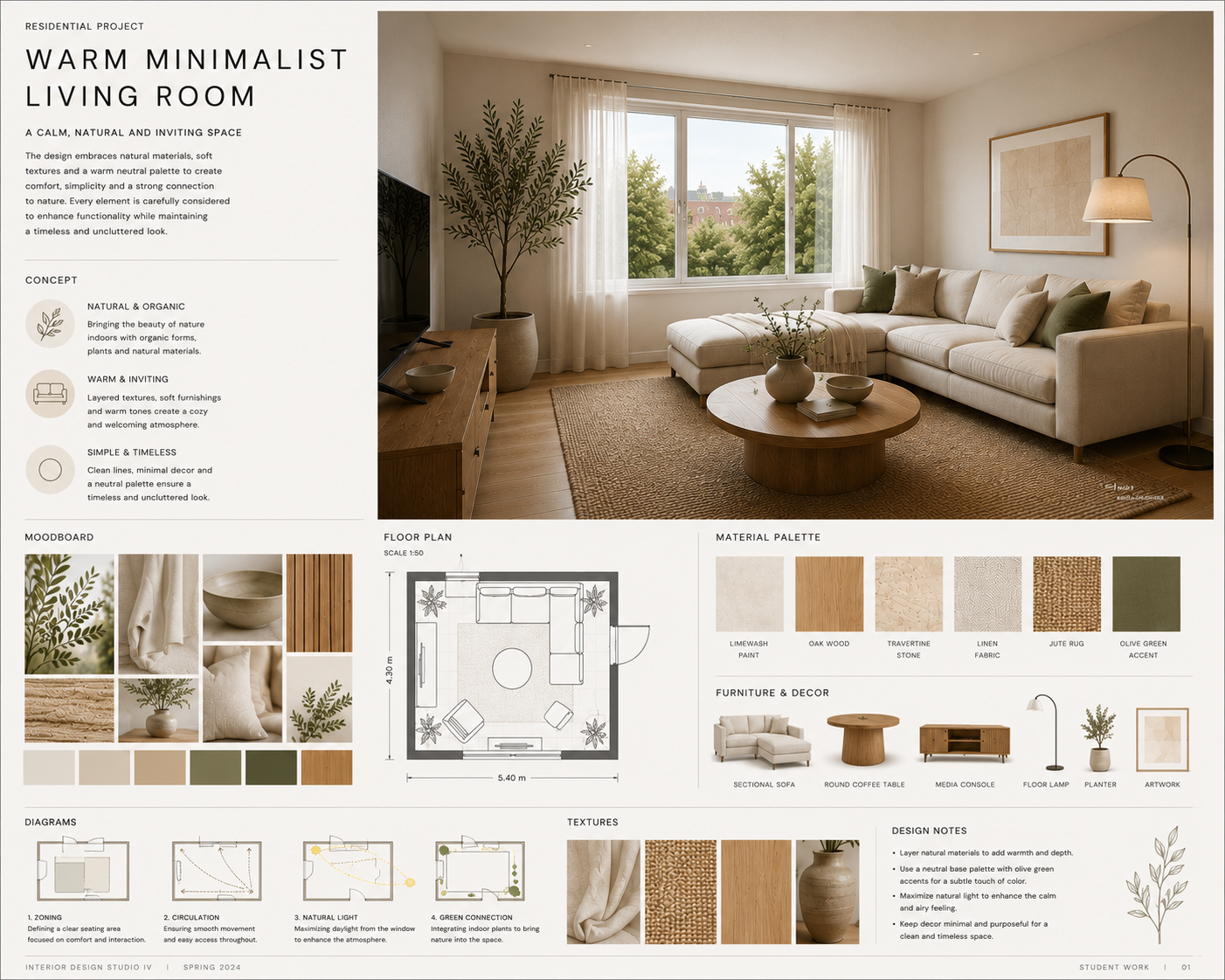
Use Moodboards to Explain the Visual Direction
A moodboard can make the early logic of a project much easier to understand.
Instead of showing a final interior and expecting the viewer to guess where the visual language came from, use the moodboard to establish:
- Colors
- Materials
- Textures
- Furniture character
- Lighting
- Overall atmosphere
The moodboard should then connect clearly to the finished design.
For example, if your concept begins with pale oak, textured plaster, soft linen, and muted green accents, those choices should be visible again in the developed interior.
You can build this visual direction manually or use an AI Moodboard Generator to test combinations before deciding which palette belongs in the project.
The portfolio should show the direction you selected, not every option you generated.
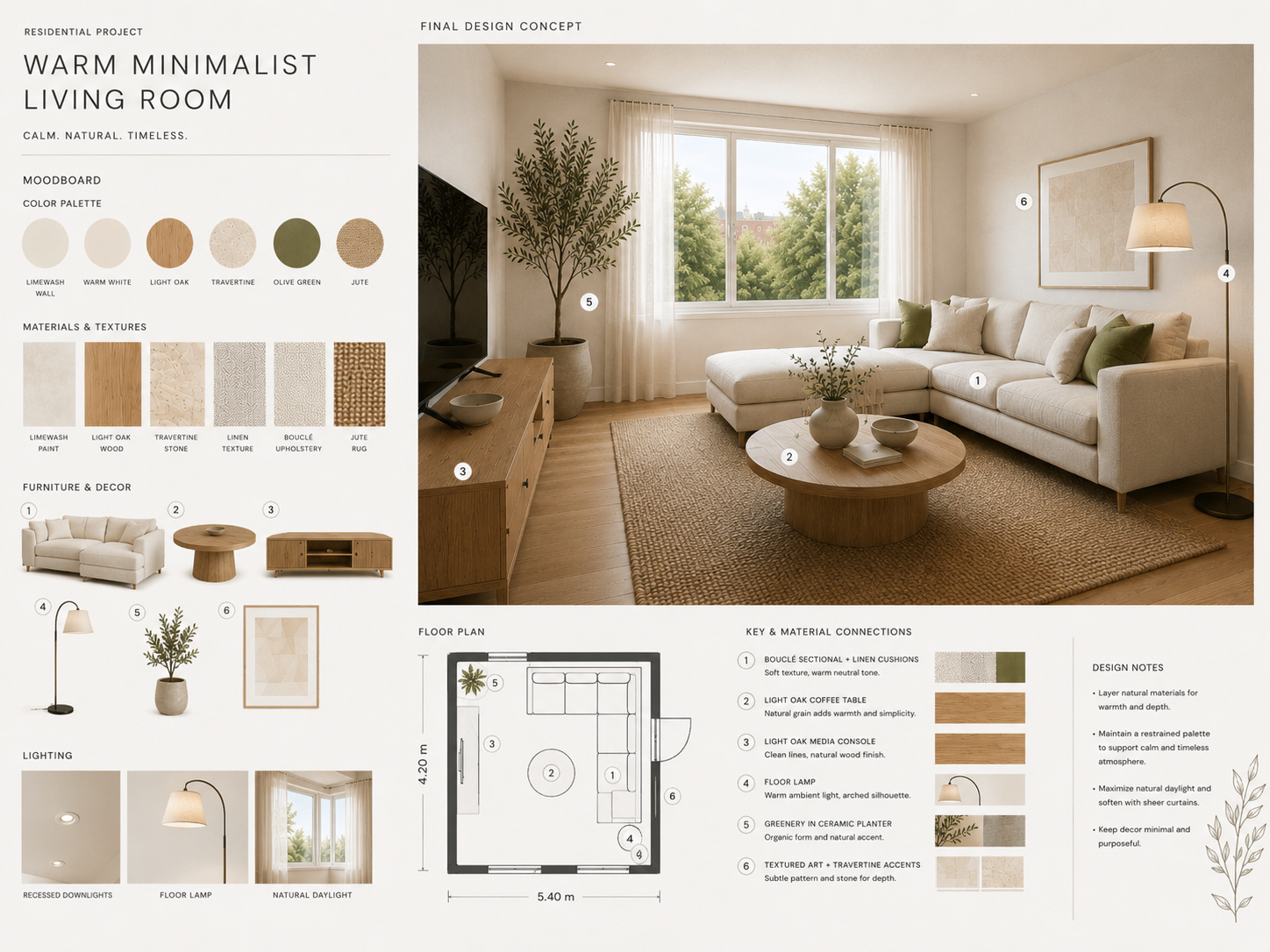
Show Design Development, Not Every Experiment
Process matters, but more process is not automatically better.
A useful interior design portfolio shows the decisions that affected the outcome.
For example, one project might include:
- Two layout options before the final plan
- A comparison between flooring materials
- Alternative wall treatments
- A furniture study
- A lighting change that affects the atmosphere
This shows development without turning the portfolio into a project archive.
Choose moments where the viewer can understand:
We considered this, changed this, and arrived here.
That is much stronger than showing ten nearly identical iterations with no explanation.
Create Final Visuals That Support the Project
Final renderings usually receive the most attention, but they work best when they complete the story rather than replace it.
Choose visuals that show different aspects of the project.
One image might communicate the overall space.
Another might show an important material relationship or detail.
Avoid filling several pages with almost identical camera angles.
If a project needs stronger visual development before it is ready for your portfolio, Dehome's AI Interior Design tool can help you compare interior directions using the same room or starting image.
The aim is not to generate as many images as possible.
It is to find a visual direction that supports the concept and then select the images that communicate it clearly.
How to Build an Interior Design Portfolio Step by Step
1. Select Your Projects
Choose work that demonstrates different strengths and gives you enough material to explain both process and outcome.
2. Define the Story of Each Project
Write the brief, central idea, and main design decisions before arranging pages.
This makes editing much easier.
3. Collect the Process Work
Gather sketches, plans, moodboards, material studies, layout alternatives, and development visuals.
Do not decide yet that everything needs to appear.
4. Select the Strongest Evidence
Keep the work that explains meaningful decisions.
Remove duplicate images and development steps that do not add anything new.
5. Finish the Visual Material
Check whether any project is missing a clear moodboard, useful comparison, or final visual.
This is the stage where additional visualization work can help.
6. Build a Consistent Project Sequence
A simple sequence might be:
Brief → Concept → Moodboard → Spatial Development → Key Decisions → Final Visuals
You can adjust it for each project, but the viewer should always understand where they are in the process.
7. Edit the Portfolio as a Whole
Once the individual projects are ready, review the complete portfolio.
Check:
- Project order
- Repeated content
- Page rhythm
- Text length
- Visual consistency
- Whether your strongest project appears early enough
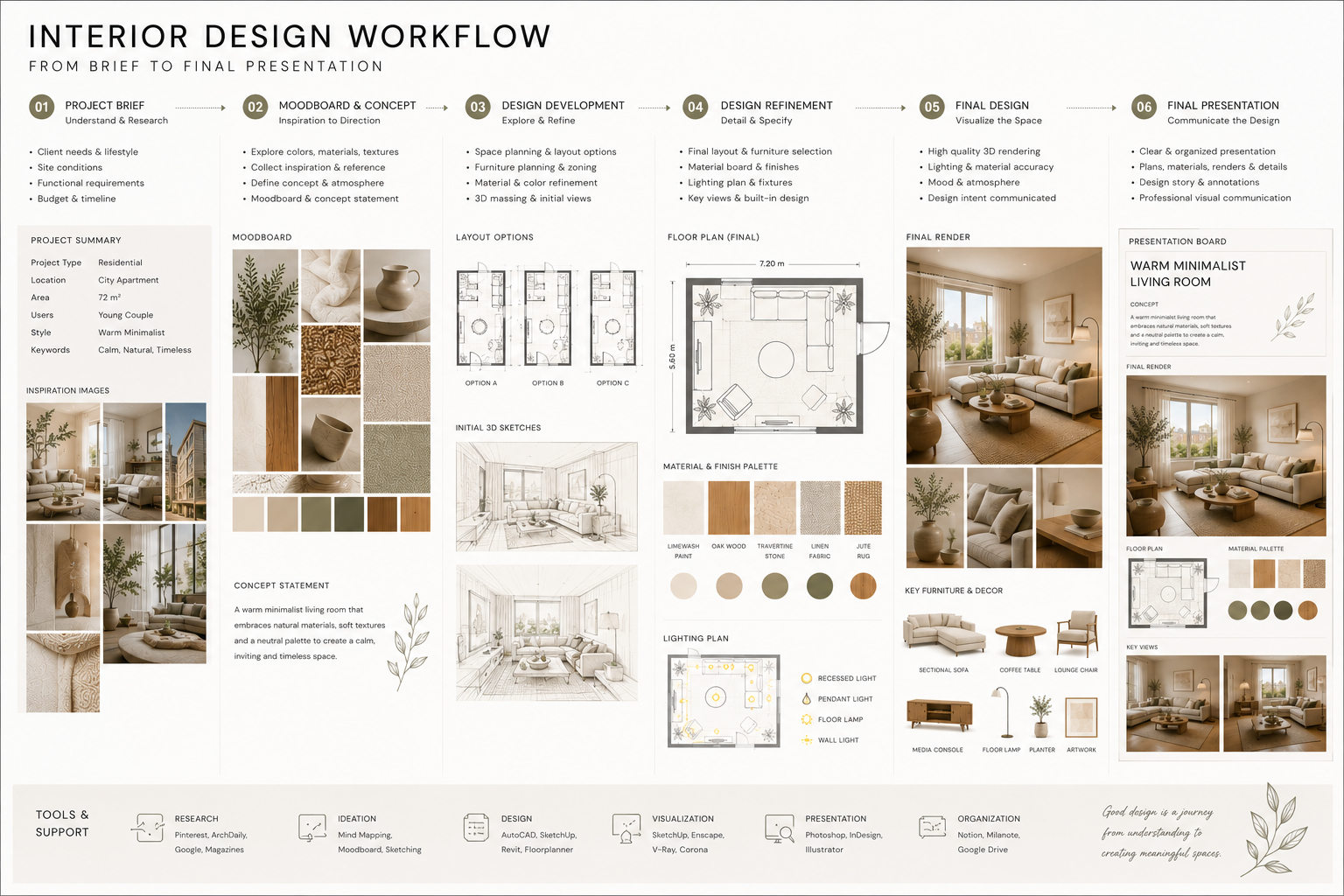
How Dehome Can Support Your Interior Design Portfolio Workflow
Dehome is not a portfolio layout tool.
It is more useful earlier in the process, when you are developing the visual material that eventually goes into the portfolio.
Explore a Concept Before Developing It Further
When a project is still open, AI Interior Design can help you compare different visual directions from the same room.
For a portfolio project, this can be useful when you want to test how one concept changes through materials, furniture, color, or atmosphere before choosing a direction to develop.
Build the Mood and Material Direction
Use the AI Moodboard Generator to organize materials, colors, furniture references, and atmosphere into a more coherent direction.
Once you select a mood, carry it into the rest of the project.
Test Specific Design Decisions
Later in development, you may not need to redesign the entire space.
You may only need to answer one question.
For example:
- Should the wall finish change?
- Does a warmer floor work better?
- Which furniture option fits the concept?
- Does the lighting support the intended mood?
Tools such as AI Wall Design, AI Flooring Design, Change Furniture AI, and Change Room Light can help test those individual decisions.
You do not need to include every test in the portfolio.
Keep the comparisons that demonstrate a useful part of the design process.
Prepare Stronger Final Visuals
Once the concept is resolved, use your strongest visual output as the final layer of the project.
The portfolio should still include your own plans, drawings, reasoning, and development work where relevant.
Dehome supports the visualization process; it does not replace the design process behind it.
Interior designers using the same workflow for professional projects can also explore Dehome for Interior Designers.
Keep Each Portfolio Page Easy to Read
A good project can lose impact when the page is overloaded.
For every spread or screen, decide what the viewer should notice first.
Then support that with secondary content.
A few practical rules help:
- Use one dominant visual instead of several competing images
- Keep captions short
- Leave enough white space between elements
- Use consistent typography
- Avoid shrinking plans until they become unreadable
- Do not place every process image you created on the same page
This matters especially when portfolios are viewed on laptops or phones.
A page that only works when zoomed to 200% is difficult to review.
Common Interior Design Portfolio Mistakes
Showing Only Final Renders
Final visuals matter, but without concept and development they can make the project feel shallow.
Including Too Many Similar Projects
A portfolio should reveal range, not repeat the same room type and visual style several times.
Showing Every Design Option
Editing is part of portfolio building.
Show the options that explain the project, not every experiment.
Writing Too Much
Use text to provide context that the images cannot communicate.
Do not turn every project into a report.
Hiding Your Contribution
For collaborative work, make your role clear.
A reviewer should not have to guess which parts you developed.
Letting AI Replace the Design Story
AI-generated visuals can support concept exploration and communication, but the portfolio should still show your own design decisions and contribution.
Frequently Asked Questions
What should an interior design portfolio include?
An interior design portfolio should include a selection of strong projects showing both design process and final outcomes.
Depending on the work, this may include briefs, concepts, moodboards, plans, material studies, development work, and final visualizations.
How many projects should be in an interior design portfolio?
There is no fixed number.
Choose enough projects to demonstrate your strengths without including weaker work simply to make the portfolio longer.
Quality and variety matter more than project count.
How do I make my interior design portfolio stand out?
Show clear design thinking.
Choose projects with strong concepts, make the development process easy to follow, and use final visuals that support rather than overwhelm the work.
Can AI help create an interior design portfolio?
AI can help develop some of the visual material used inside a portfolio, including concept exploration, moodboards, design comparisons, and final visualization.
It should support your project work rather than replace your plans, reasoning, technical development, or personal contribution.
How do I build an interior design portfolio with no professional experience?
Use strong academic, personal, competition, or self-directed projects.
Focus on how you solve design problems and show enough process to demonstrate your thinking.
Build Better Project Visuals Before You Build the Portfolio
A strong portfolio starts before the pages are laid out.
Choose good projects, develop a clear concept, document the decisions that matter, and finish with visuals that communicate the design clearly.
Dehome can support the parts of that workflow where you need to explore, compare, and visualize ideas before deciding what deserves a place in the final portfolio.